
뒤로
How to connect and set up your child's device
Last updated :
To manage your child's device, you must install the Mobile Fence app on their device. Please follow the steps below.
1) On your child's device, go to the [Play Store → Search for Mobile Fence → Click Install].

Alternatively, open the camera app on your child's device and scan the QR code below. It will take you directly to the installation screen.

2) Log in with your parent account.
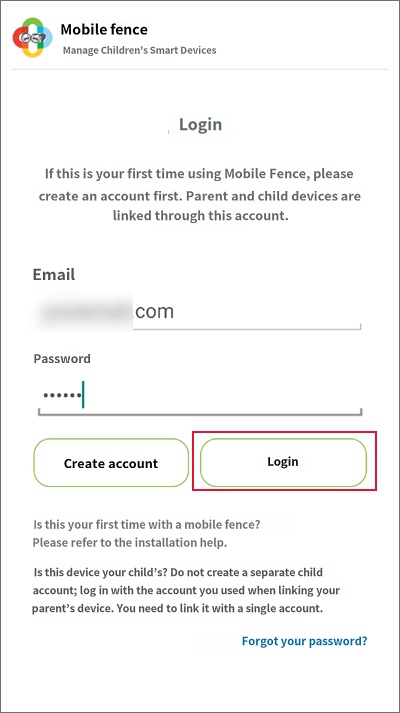
3) Click the "Child" button.

4) Click the name of the child you wish to connect to link the device. (If there is no child information, please add a child.)
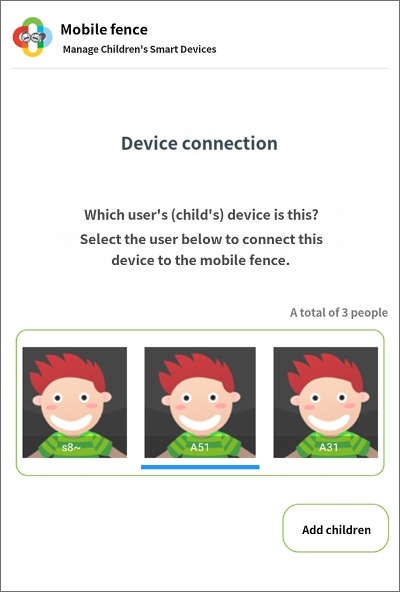
5) You will be prompted to enable various permissions; you must select "Enable" or "Allow" for all of them to proceed.


6) Complete the setup.

