뒤로
Set the Mobile Fence app to prevent it from being terminated by battery optimization.
Last updated :
Mobile Fence is designed to run normally without being terminated even during battery optimization. However, this may not be the case for entry-level or some other specific device models. In such cases, you must exclude Mobile Fence from battery optimization as shown below.
Turn off the Mobile Fence service temporarily before proceeding.
1. If the child's device is running Android 11 or lower
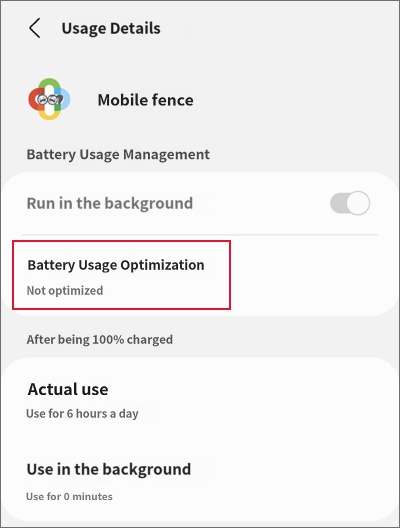
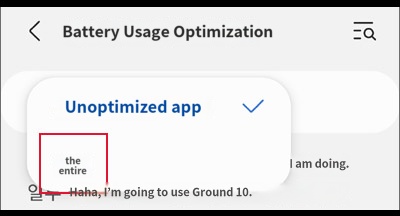
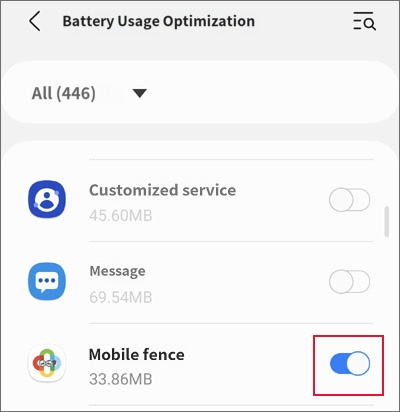
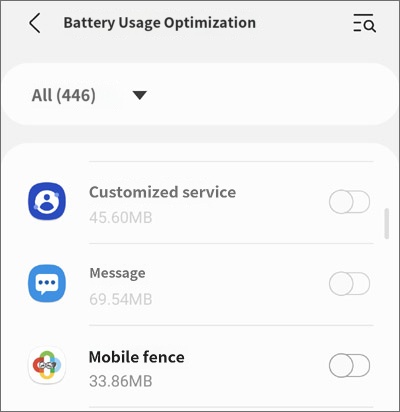
Device Settings → Applications → "Mobile Fence" and "MobileFence Plugin" → Battery → Optimize battery usage → Click "Apps not optimized" and select "All" → Mobile Fence → Off
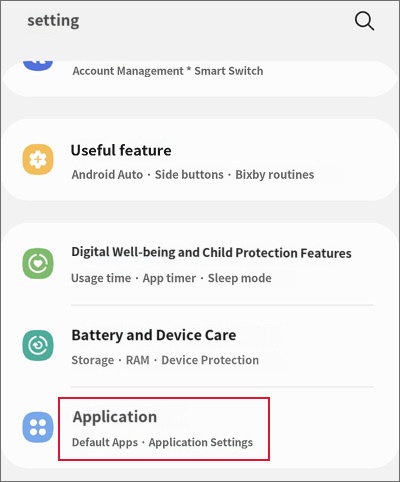
1) Device Settings → Applications
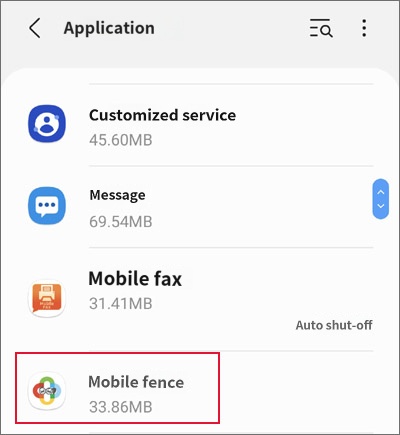
2) "Mobile Fence" and "MobileFence Plugin"
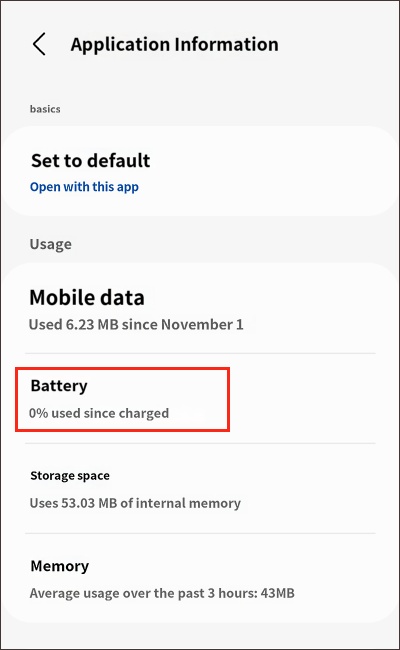
3) Battery
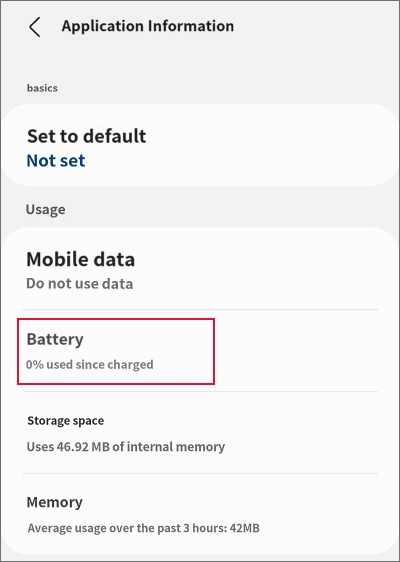
4) Optimize battery usage
5) Click "Apps not optimized" and select "All"
6) Set to "Off"
2. If the child's device is running Android 12 or higher
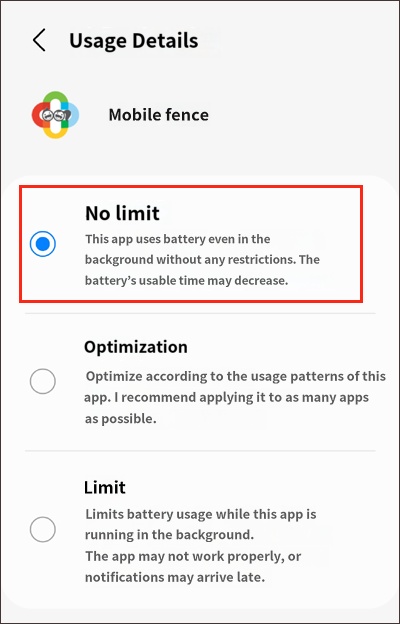
Device Settings → Applications → "Mobile Fence" and "MobileFence Plugin" → Battery → Unrestricted